Objectives:
1. Examine the components of a desktop computer and try to disassemble and reassemble the computer.
2. Take a look at the historic computer items that Dr. Gx brought to class and do some research on other historical computers and devices. We must research at least 6 different historic computer and/or devices.
Equipment List: Desktop computer, phillips screwdriver.
Notes and Observations: Taking apart the desktop computer wasn’t too hard, but I was a bit paranoid about possibly damaging the components and cutting myself on sharp edges and corners. The power supply plug for the motherboard seemed stubborn compared to the other plugs and I thought at first that it might have been stuck or fused. Bailey helped me with it. During reassembly I had 2 issues:
1. I had trouble with installing the RAM on the motherboard. I was afraid of pressing too hard on it and I didn’t want to possibly force it in or cause damage. Bryce helped me with this.
2. I couldn’t remember where the plug-in was on the motherboard for the optical drive. Again, Bryce helped me with this too.
NOTE: This computer did not have a dedicated Video Graphics Card.
After the computer was put back together I plugged it in and hooked a monitor up to it and turned it on. It did turn on but nothing came up on the screen. Dr. Gx told me that it was not expected of us to make sure that they would work after reassembly and also there could be issues with them and might be inoperable anyway.
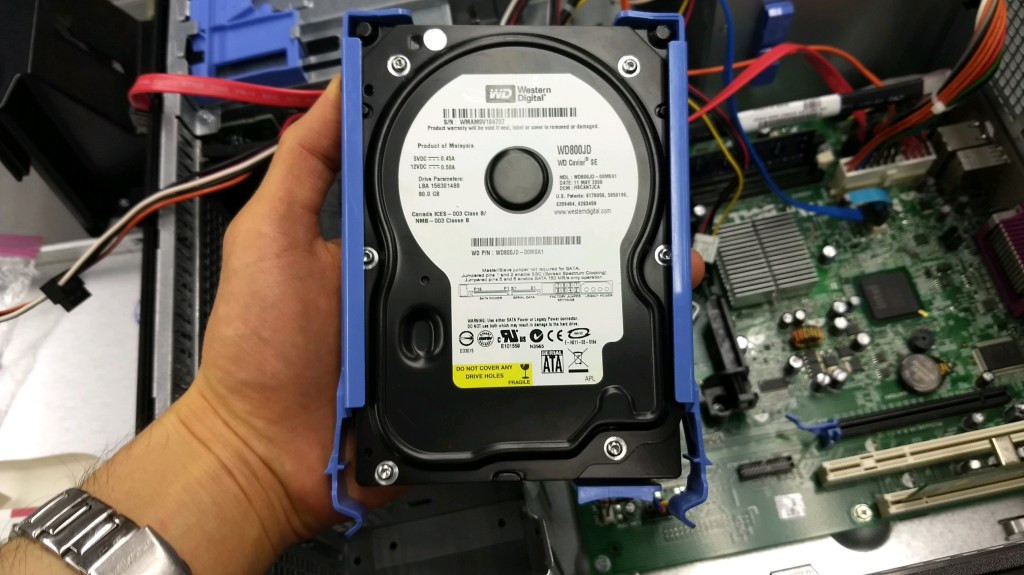

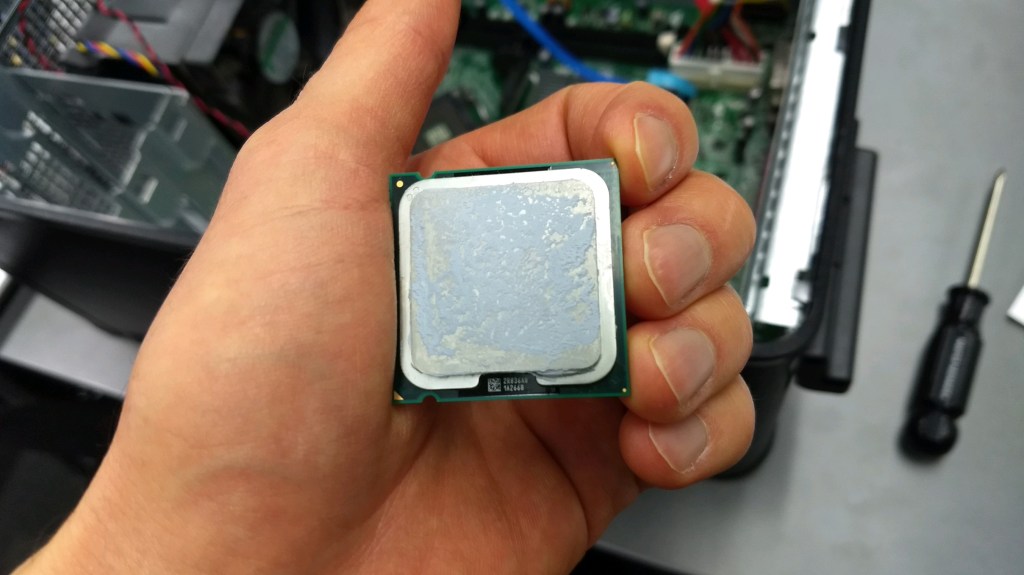
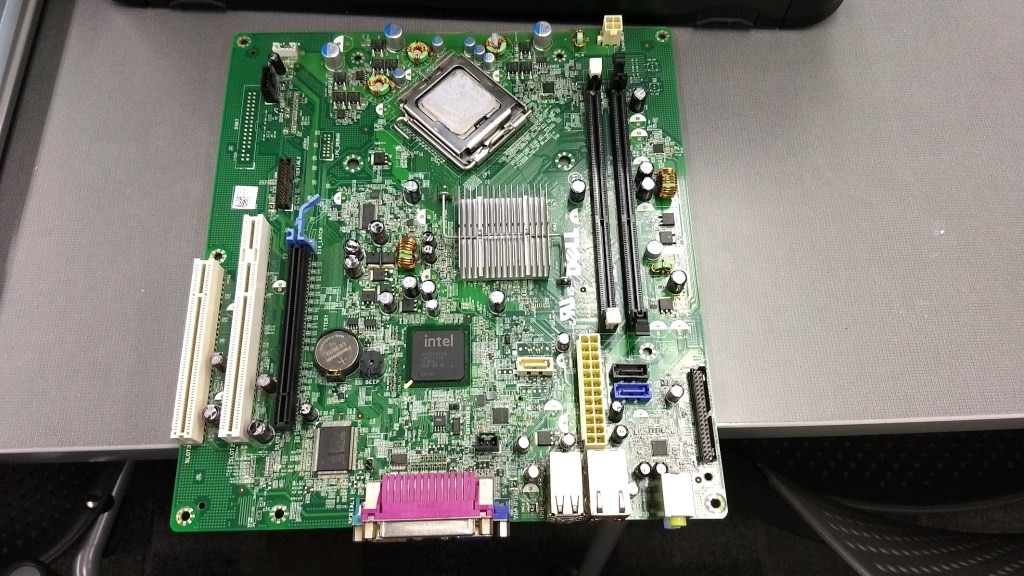
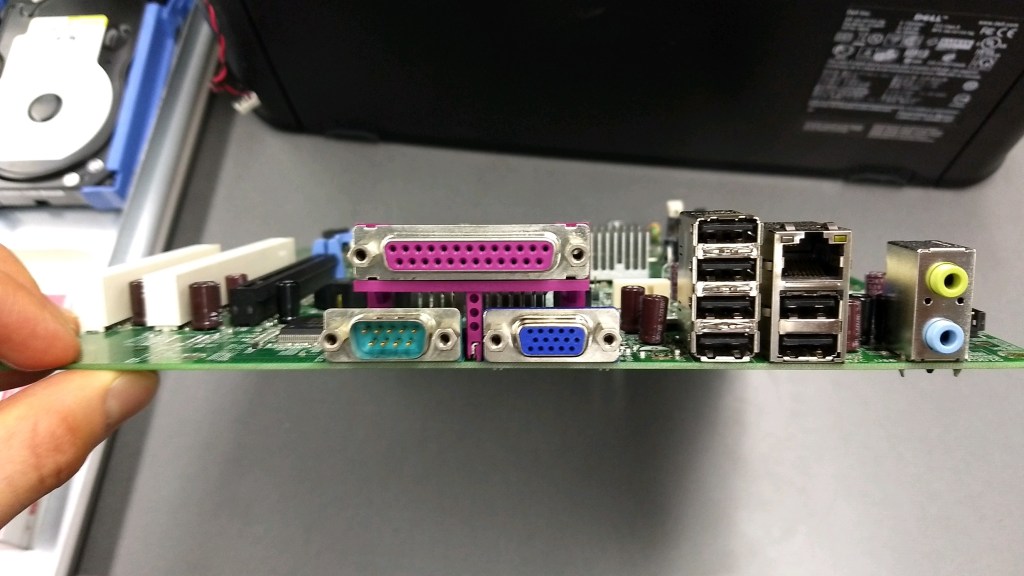
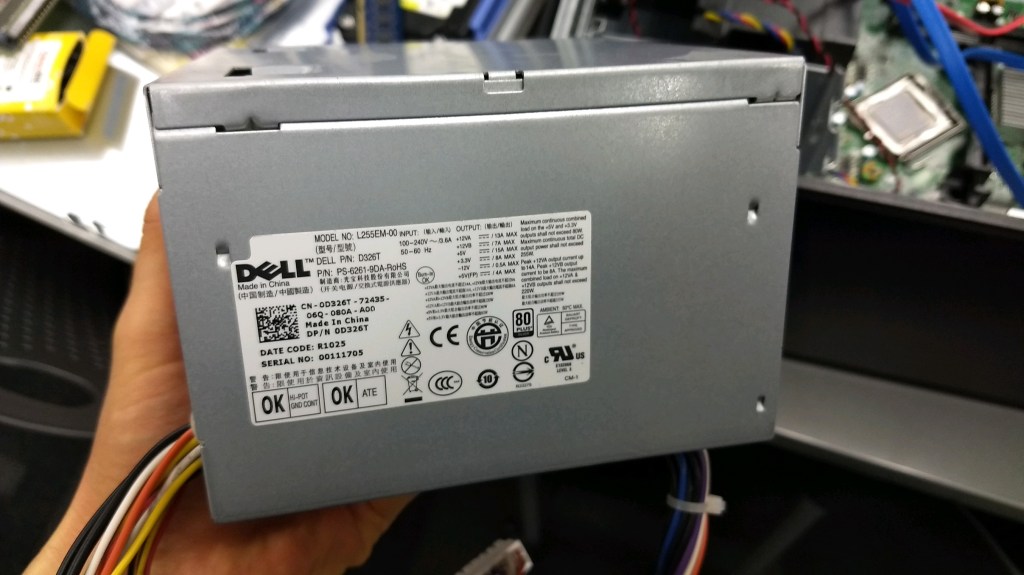
Question: How many and what type of I/O ports does the computer you examined have?
12 USB (2 on the front, 6 on the motherboard, 4 on an expansion card)
2 Audio Outputs (1 on the front, 1 on the motherboard)
2 Audio Inputs (1 on the front, 1 on the motherboard)
Ethernet
Display (VGA I think)
IO
Parallel
Question: What is the purpose of the CPU, the HDD, and the RAM memory?
The CPU does all the calculations on the computer.
The HDD stores the computers data and information for long term storage.
RAM loads the data and information that the computer is currently using.
Question: What does magnetic core memory look like? What is the purpose of magnetic core memory?
Magnetic core memory has copper strands that have “donuts” woven into them.
Magnetic core memory was basically the early form of RAM.
Historic Computers Research:
Cray 1 Super Computer
The Cray 1 Super Computer at it’s time was the fastest computer ever. It had a unique design that no other computers used that allowed for a special cooling system and concealed power supply units. It came at an extremely high cost though.
Luggable Computers
Luggable computers were the most portable form of a computer that you could get before laptops came out onto the market. They still often had build in screens, floppy drives, and included keyboards.
Apple II
The Apple II was Apple’s first computer that came assembled out of the box. Plus you could easily add additional components to it. This made it a more practical computer to own and use for a wider range of people.
Apple Lisa
The Apple Lisa was Apple’s first computer that had a Graphic User Interface, making it more user friendly than computers that used text based interfaces.
Altair 8800
Although the Altair 8800 was not as powerful and useful as many computers at the time, it was the first computer that was widely affordable and has been considered as the computer that really started the movement of people using computers for personal and home use.
Norden Bombsight
The Norden Bombsight was a cutting edge bomber plane sight used in World War II. It was treated as a very important and secretive item because of how sophisticated and effective it was.
Diagrams, flowcharts, and figures: N/A
References: Dr. Gx’s handout.
Conclusions: Taking apart a computer was rather easy. It’s when I tried to reassemble it that I began to have trouble. The biggest challenge was knowing where to plug in the different components to the motherboard. That’s not even factoring in if I put a brand new computer together and would have to assemble it with parts that I had never handled before and also have to deal with installing the operating system and drivers.
It was interesting to see the computer parts that Dr. Gx brought in for us to look at and research the various historical computers and devices. I’m old enough to remember the floppy disks. Everything else I either have never seen before or it was before I was alive.

