Objectives:
1. Do research on background information about the OSI model.
2. Examine the various network devices in the classroom and find out what they are and what their function and purposes are.
3. Do research on the Data Link Layer (Layer 2).
4. Use the Command Prompt on a computer to find various details about the network that the computer is connected to.
Equipment list:
Dr. Gx’s handout, various network devices, desktop computer, notes from previous classes.
Notes and Observations:
This took longer to work through than what I expected and I had several questions for Dr. Gx along the way. When I tried looking up the various network devices, there was some that were obsolete and I could only find a limited amount of information about them. I never did find out for sure what the ADC Kentrox DataSmart T1 DSU/CSU was, I’ll have to remind myself to ask Dr. Gx about it.
Question 1, 2, and 3.
The OSI model was created because companies were making their network devices with their own designs and were too often not compatible with network devices that were made by other companies. Since this was bad for both the companies and the consumers, many of the leading companies agreed to use a single model that their network devices would be designed to work with. The result was the OSI model.
OSI stands for Open System Interconnection. It was created by the International Organization for Standardization (ISO) in 1984.
OSI mnemonic, Please Do Not Touch Steve’s Pet Alligator.
| Layer # | Layer Name | Mnemonic | Devices, PDU, and Description of Function |
| 7 | Application | Alligator | Devices – No hardware or devices PDU – Datagrams Functions -Organizes Segments into Datagrams |
| 6 | Presentation | Pet | Devices – No hardware or devices PDU – Datagrams Functions -Organizes Segments into Datagrams |
| 5 | Session | Steve’s | Devices – No hardware or devices PDU – Datagrams Functions – Organizes Segments into Datagrams |
| 4 | Transport | Touch | Devices – No hardware or devices PDU – Segments Functions – Organizes Packets into Segments and send them to Layer 5 Transmission Control Protocol (TCP) User Datagram Protocol (UTP) |
| 3 | Network | Not | Devices – Routers PDU – Packets Functions – Organizes Frames into Packets and sends them to Layer 4 Internet Protocol (IP) Internetwork Packet Exchange (IPX) |
| 2 | Data Link | Do | Devices – Switches, Bridges, Network Interface Cards (NIC), and Multiplexers PDU – Packets Functions – Organizes Bits into Frames and sends them to Layer 3 Carrier Sense Multiple Access / Collision Detection (CMSA/CD) Media Access Control (MAC) |
| 1 | Physical | Please | Devices – Hubs and Repeaters PDU – Bits Functions – Sends Bits to Layer 2 |
Question 4.
The purpose of a router is to connect two or more networks together.
The purpose of a switch and a hub is to connect two or more computing devices together to form a network. The difference between a switch and a hub is that a hub will send the data to everything that’s on the network. Whereas a switch will send the data to only the intended device.
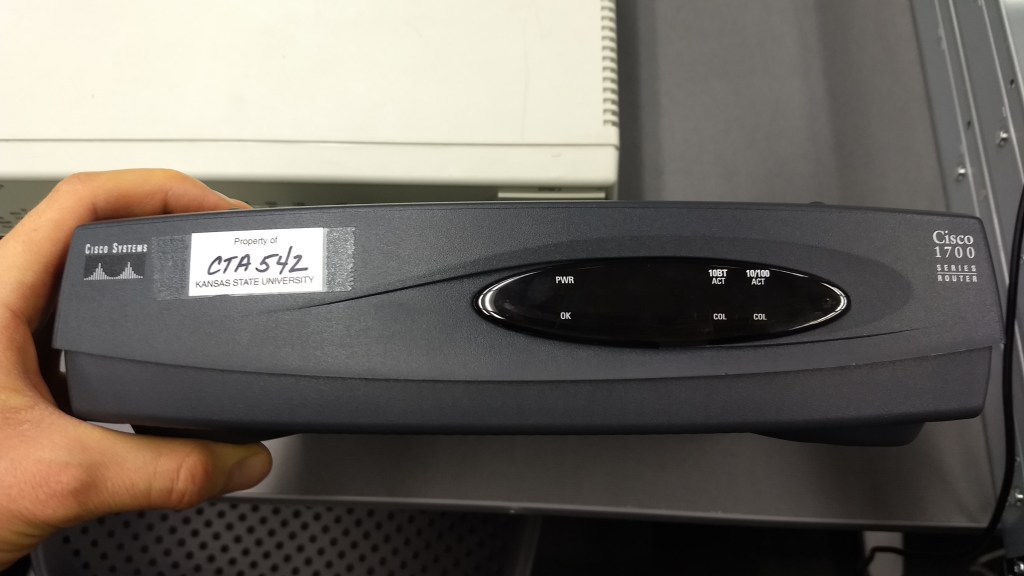
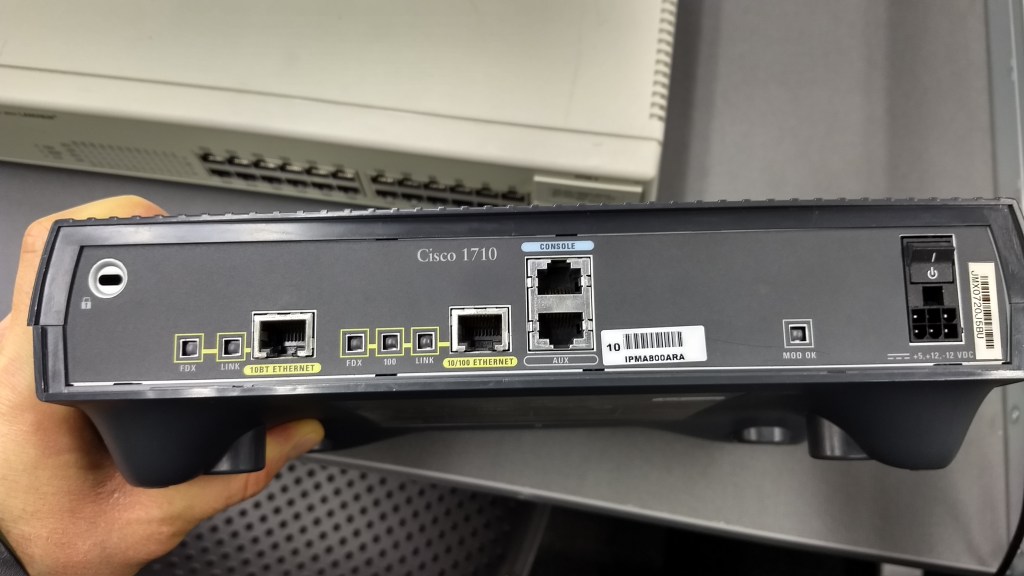
Cisco Systems Cisco 1700 Series Router
A dark gray table top device with indicator lights on the front.
Connections and Port – (Back) 10BT Ethernet, 10/100 Ethernet, Console, and Aux.
Indicator Lights – (Front) Power, OK, ACT and COL for 10BT, ACT and COL for 10/100. (Back) FDX and Link for 10BT Ethernet, FDX, 100, and Link for 10/100.
This devices function would be to connect two networks together.
Its purpose would typically be for connecting a network to another network and/or to an internet connection.
It would be on Layer 3 of the OSI model.
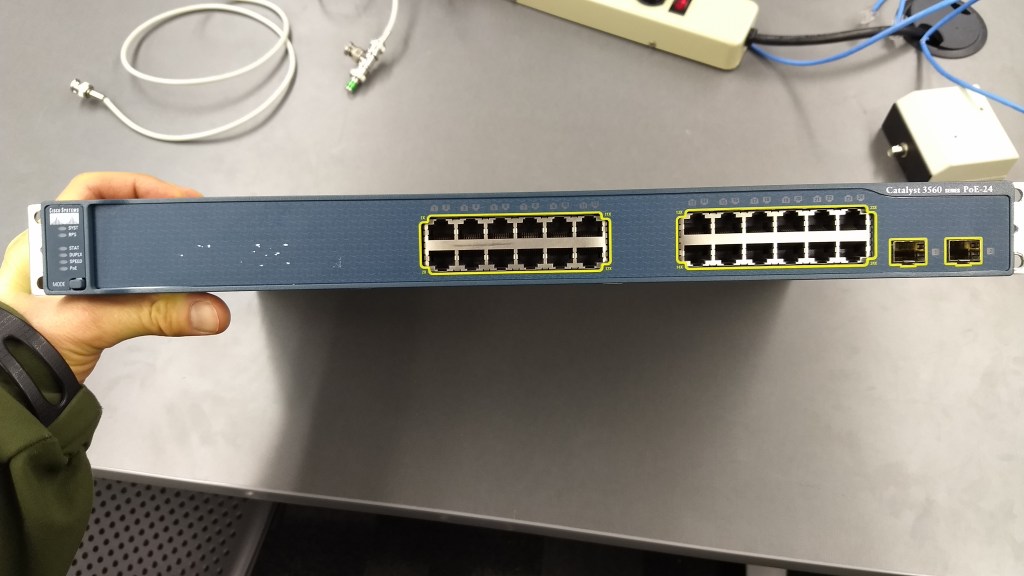
Cisco Systems Catalyst 3560 PoE-24
A dark blue / dark gray rack mount device with the primary connection ports on the front.
Connections and Ports – (Front) 24 10/100/1000 Ethernet. 2 SFP Module.
(Back) Console.
Indicator Lights – (Front) SYST, RPS, STAT, DUPLX, SPEED, PoE.
This devices function would be to connect two or more computing devices to create a network.
This devices purpose would be to allow computing devices to communicate with each other and also could be connected to a router to allow internet access to all the devices connected to it.
It would be on Layer 2 of the OSI model.

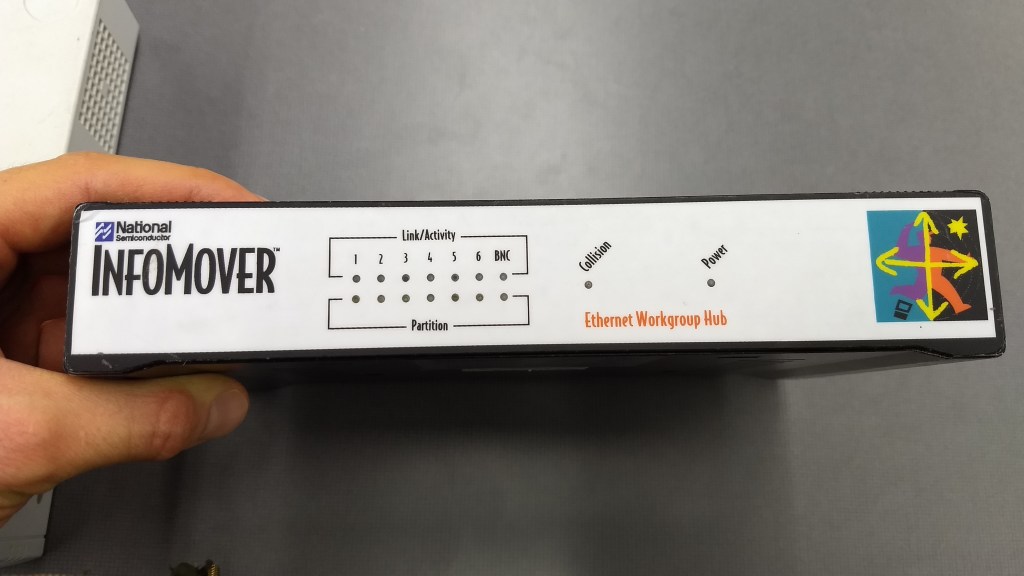
National Semiconductor InfoMover
A tabletop device with several indicator lights on the front.
Connections and Ports – (Back) 6 Ethernet Ports (probably 10 Megabit). Coax (ThinNet).
Indicator Lights – (Front) Link / Activity and Partition for each ethernet port, Collision, and Power.
This devices function would be to connect two or more computing devices to create a network.
This devices purpose would be to allow computing devices to communicate with each other and also could be connected to a router to allow internet access to all the devices connected to it.
It would be on Layer 1 of the OSI model.

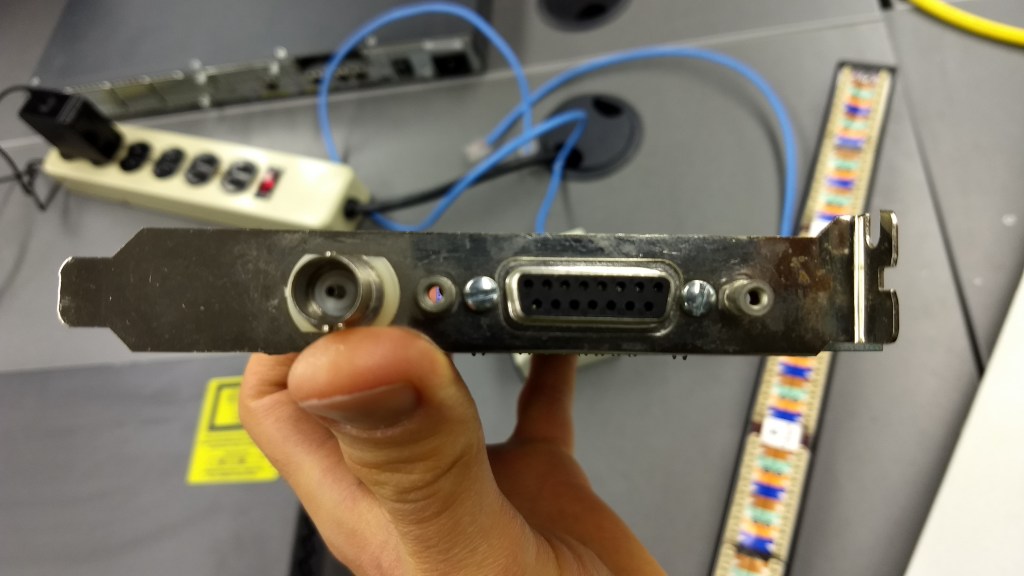
Network Interface Card, unknown make or model.
Network Interface Card (NIC)
It’s a piece of computer hardware that is not currently installed inside a computer.
Connections and Ports – Coax (ThinNet) and a port for a Vampire Clamp.
Indicator Lights – None
This devices function is to be installed inside a computer to allow network access.
The purpose of this device is to connect a computer to a network. This connectivity allows for communication to other computing devices on the network. It would also allow internet access if there is a router connected to the network.
The device would be on Layer 2 of the OSI model.

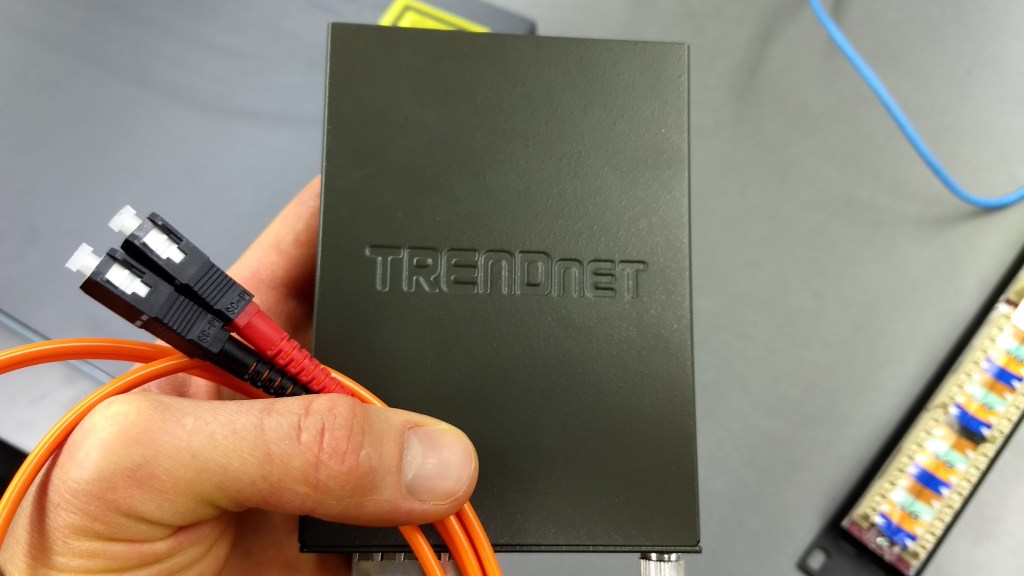
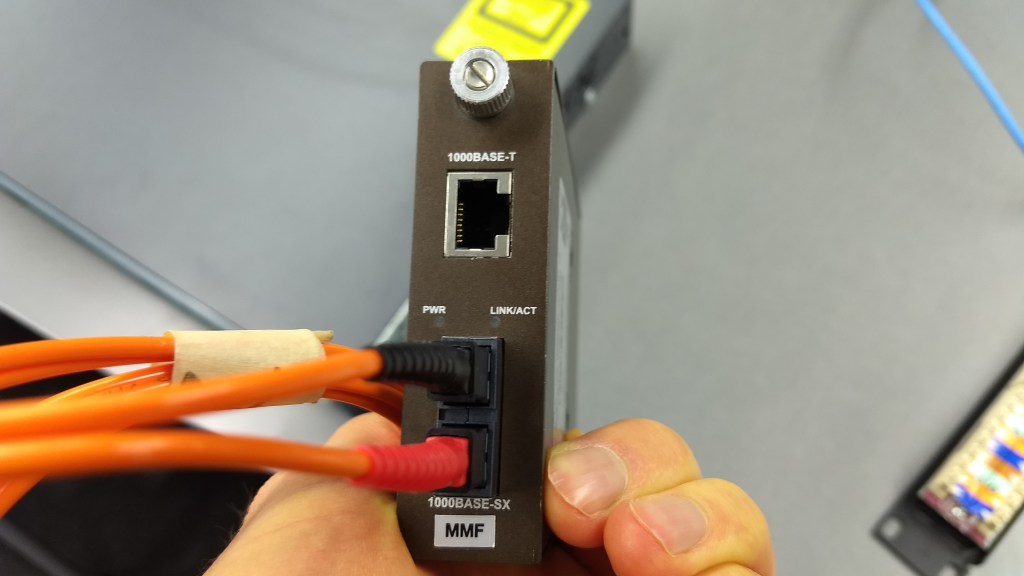
TRENDnet TFC-1000MSC
A small dark gray device with a few ports.
Connections and Ports – 1000BaseT Ethernet, 1000Base-SX.
Indicator Lights – PWR, LINK/ACT.
This devices function is to convert fiber optic cables input into an ethernet output.
The purpose of this device would be to provide an easy way to take incoming fiber optic cables and hook it up to a network that uses ethernet cables.
This would be on Layer 1 of the OSI model.
Question 5.
Another name for the physical address is the Media Access Control (MAC).
The MAC has 48 bits for the physical address.
When two machines attempt to transmit at the same time and the messages become garbled and unintelligible, the condition called Collision has happened.
The PDU (Protocol Data Unit) of Layer 2 of Frames.
Question 6.
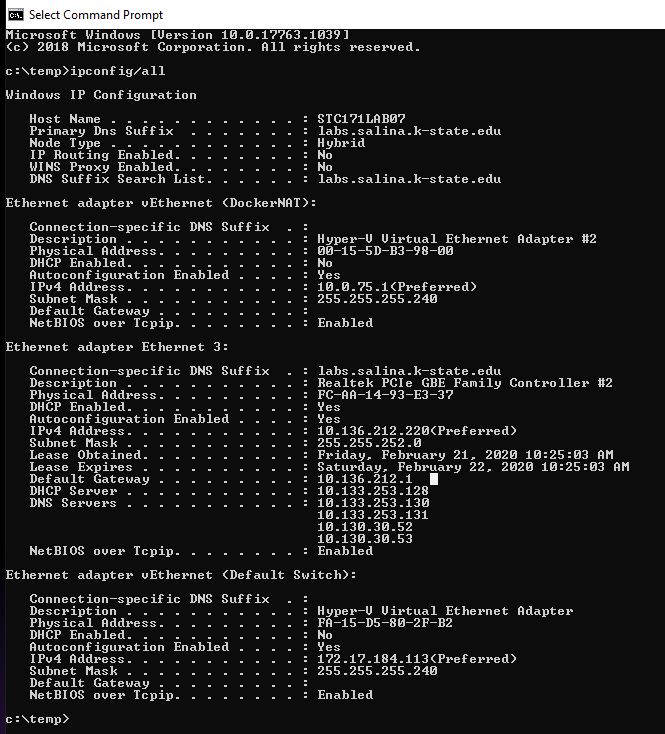
The IP (IPv4) address is 10.136.212.220 .
The protocol to dynamically assign IP address is Dynamic Host Configuration Protocol (DHCP).
The MAC (physical) address is FC-AA-14-93-E3-37 .
MAC addresses are assigned at the time of manufacture.
The manufacturer is GIGA-BYTE TECHNOLOGY.
The DNS servers are:
10.133.253.130
10.199.253.131
10.130.30.52
10.130.30.53
The purpose of a Domain Name Server (DNS) is to store domain names and link them to the IP address that the domain uses. With this, people can use the domain name instead of its IP address to reach a website.

Question 7.
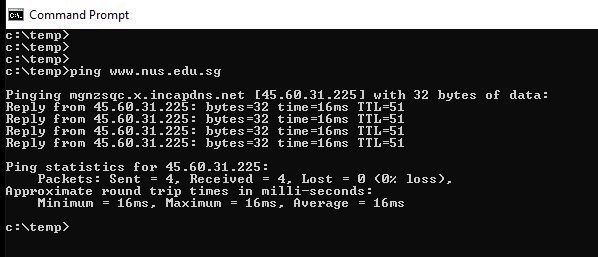
A ping from the computer to Singapore and back (www.nus.edu.sg) took 16 ms.
Question 8.
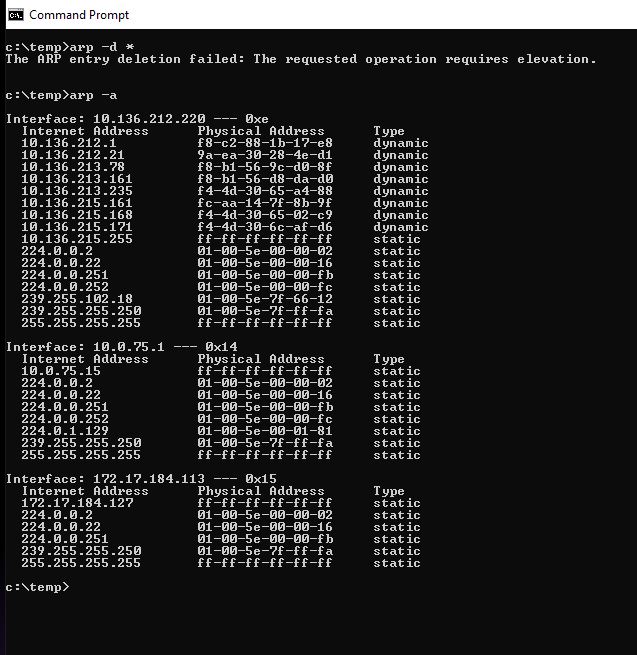
ARP stands for Address Resolution Protocol.
ARP takes IP addresses and translates / converts them into MAC addresses so data can get to the intended devices.
The command prompt arp -d* command was not allowed to work. Dr. Gx told me that this was probably only accessible to System Administrators.
Question 9.
The protocol used to translate the known Layer 3 address to an unknown Layer 2 address is ARP.
It’s required because Layer 2 operates with MAC address while Layer 3 operates with IP address.
Question 10.
Layer 3 Gateways are also called Routers.
The defacto standard for the logical / software / and network address used today is TCP/IP.
They would require 48 bits.
Question 11.
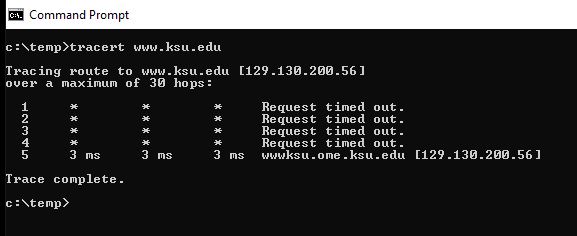
Using the command prompt and typing tracert http://www.ksu.edu had 5 hops.
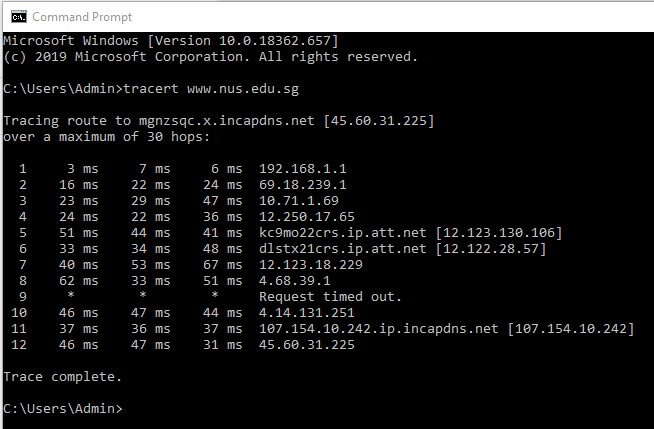
Using the command prompt and typing tracert http://www.nus.edu.sg had 12 hops.
Question 12.
Dr. Gx demonstrated this for us. He connected two computers to a switch and used the switches operating system to show the MAC address for the computers connected to it.
Diagrams, flowcharts, and figures: N/A
https://searchnetworking.techtarget.com/answer/Who-created-the-OSI-model
http://tcpipguide.com/free/t_OSIReferenceModelLayerMnemonics.htm
https://www.pluralsight.com/blog/it-ops/networking-basics-tcp-udp-tcpip-osi-models
https://www.computerhope.com/jargon/c/csmacd.htm
https://www.lifewire.com/what-is-dhcp-2625848
http://standards-oui.ieee.org/oui.txt
https://dnsmadeeasy.com/support/what-is-dns/
https://www.lifewire.com/address-resolution-protocol-817941
Conclusions:
The material covered in this lab could be useful for those who are going to be working with IT / Networking and other related areas. Once I got into the command prompt questions it was good to be able to ask Dr. Gx questions since it was sort of confusing to look at the information and try to figure out what exactly I was looking at and what to look for.
 Tyler's Hardware and Network Fundamentals Site